

Packaging and boxes
A carrier does not quote a cart. It quotes a package — a box with dimensions and a weight. Something has to turn the one into the other, and that something is the packer.
Packaging is where you tell the packer which boxes exist.
Add a box, step by step
Section titled “Add a box, step by step”You need the permission to manage settings. The pictures use a demo store with made-up data.
1. Open Packaging and select Add box
Section titled “1. Open Packaging and select Add box”In the admin, open Settings, then Selling, then Packaging. With no boxes the page says “No boxes yet”. Select Add box.
2. Measure the inside and name the box
Section titled “2. Measure the inside and name the box”Enter a Name, then the Inside dimensions in millimeters: Length (mm), Width (mm)
and Height (mm). Under Weight enter Max contents (g) (0 means no limit) and
Empty box weight (g). The panel shows the usable volume as you type.
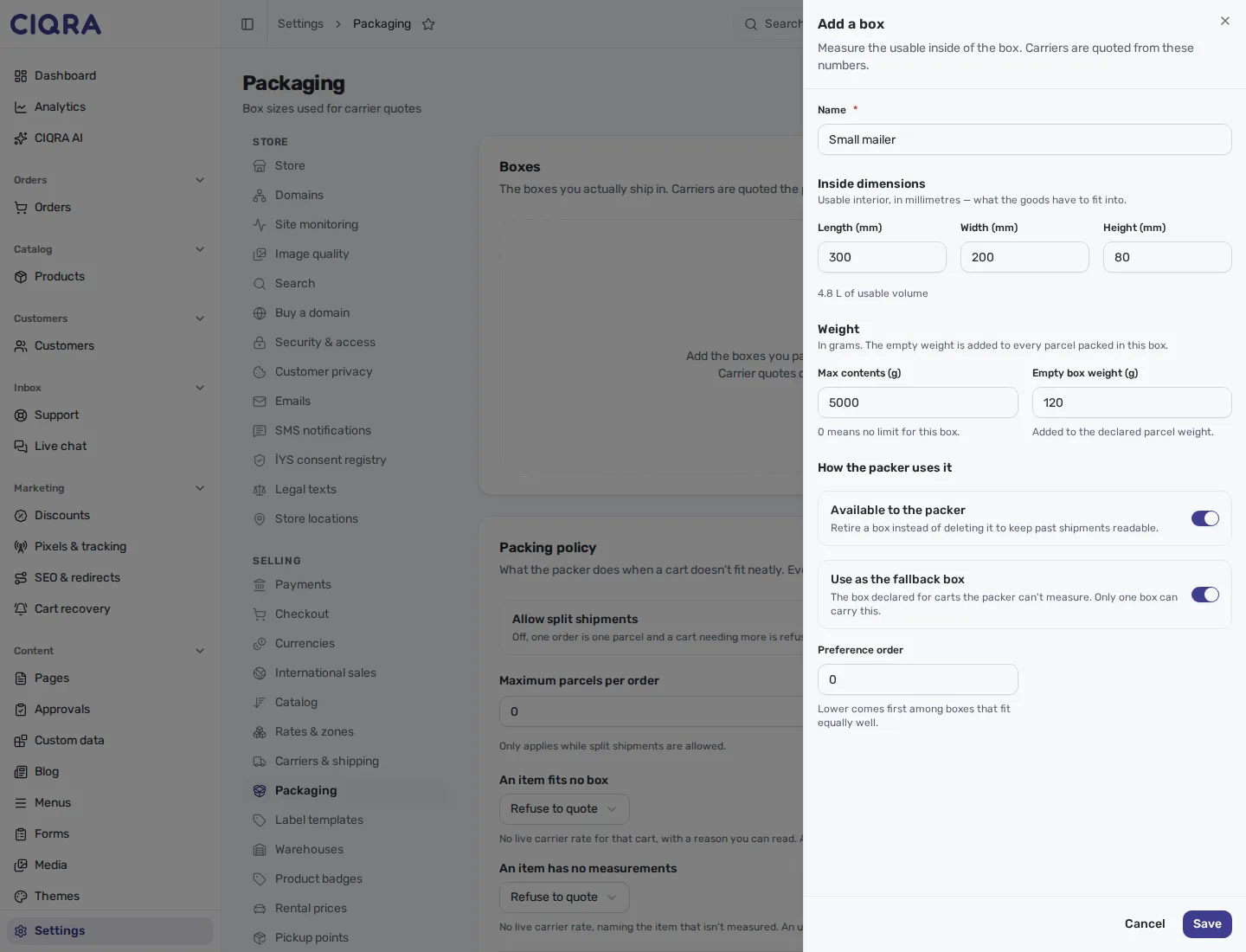
- 1Inside dimensionsThe usable interior in millimeters, not the outside of the box.
- 2WeightsMax contents caps what the packer puts in. The empty box weight is added to every package.
- 3How the packer uses itAvailable to the packer, Use as the fallback box and Preference order.
3. Save and read the list
Section titled “3. Save and read the list”Select Save. A message says “Added “Small mailer”.“ The box is listed with its size, its volume and its weight limit. The Fallback badge marks the box used for carts the packer cannot measure; Retired marks a box switched off.
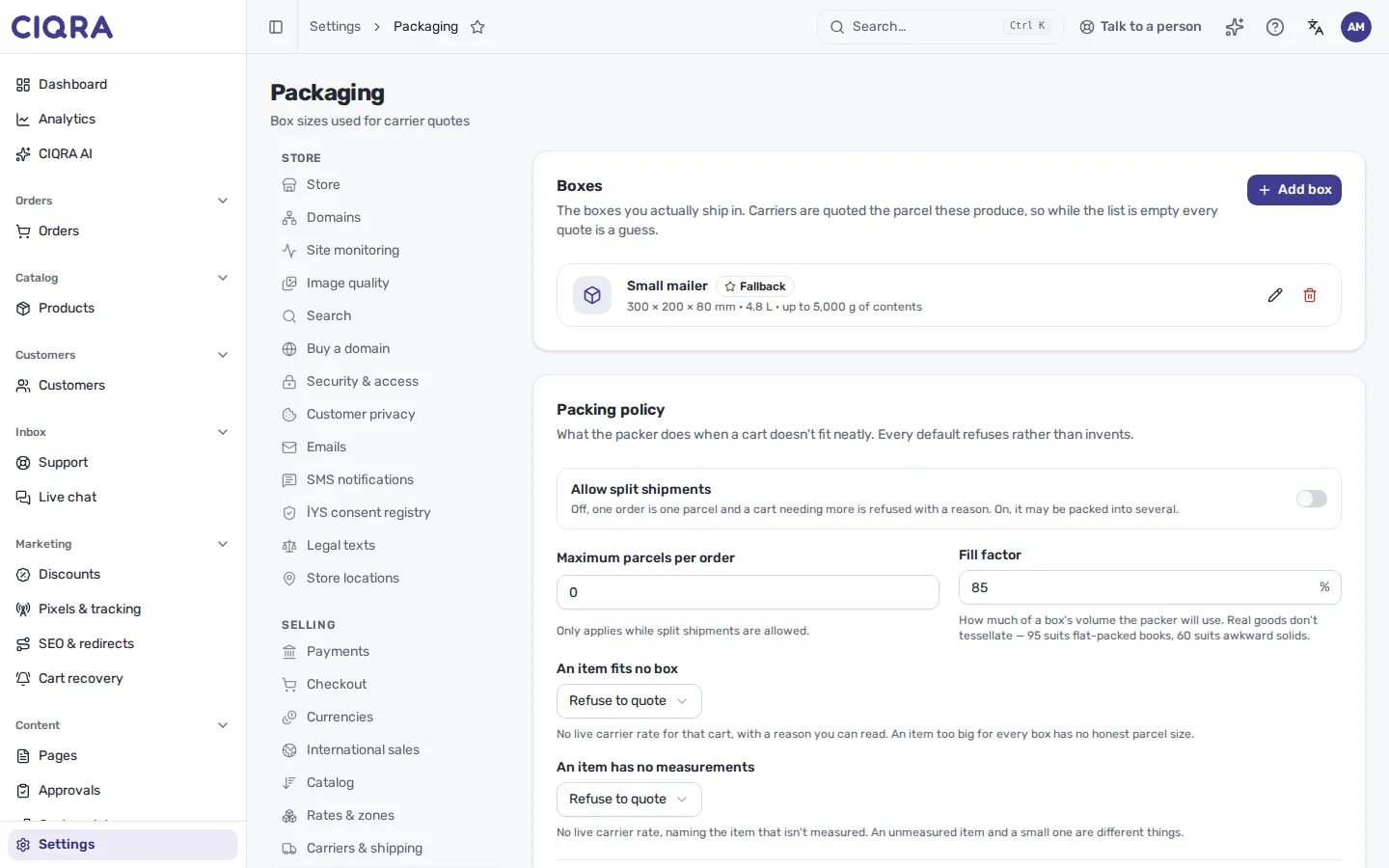
- 1Box rowName, badge and a one-line summary of size, volume and weight limit.
- 2Edit and deleteRetire a box with Available to the packer rather than deleting it, so past shipments stay readable.
4. Review the packing policy
Section titled “4. Review the packing policy”Under the boxes the Packing policy card holds the refusals described below. Change what you need and select Save policy. A message says “Packing policy saved.”
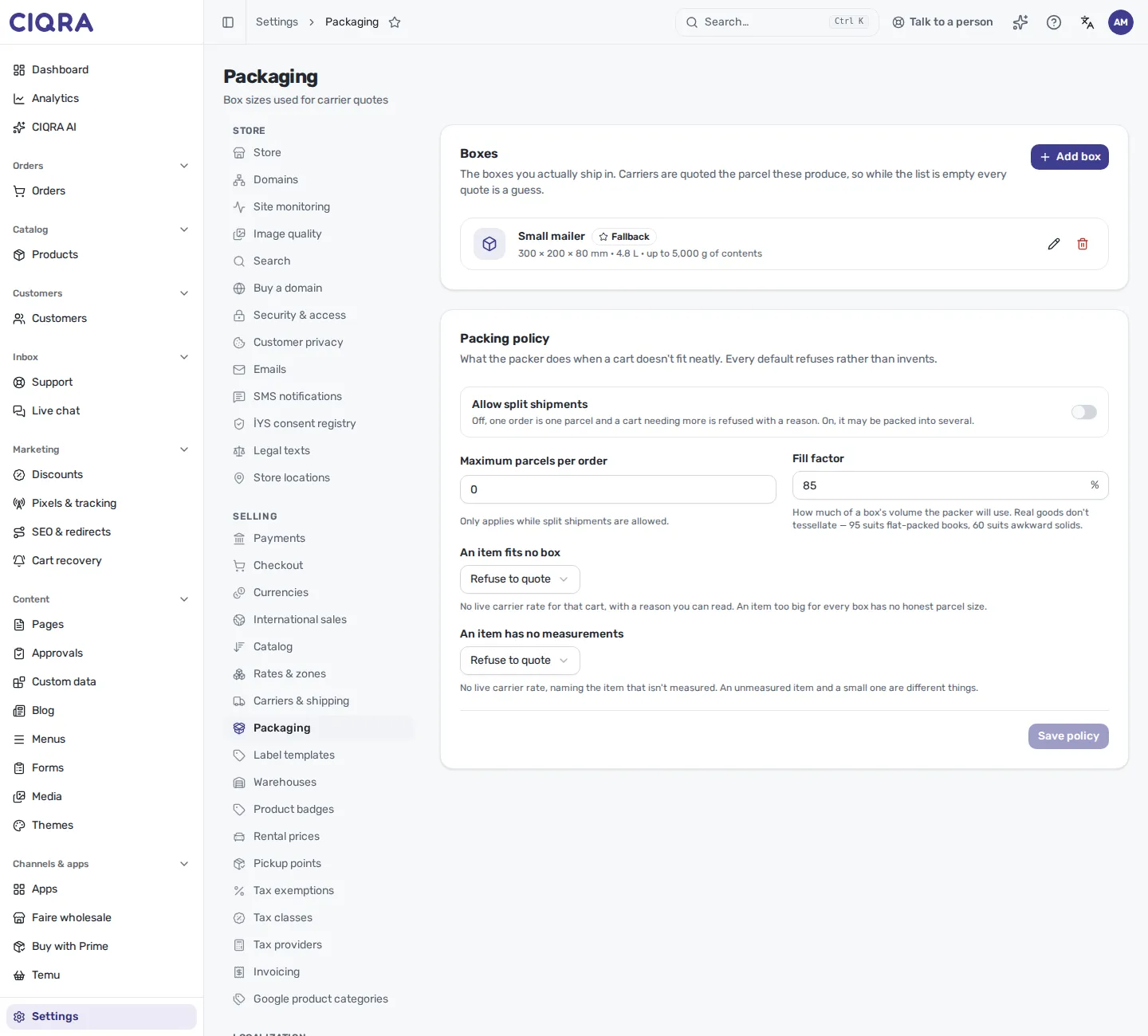
- 1Allow split shipmentsOff: one order is one package.
- 2Fill factorHow much of a box's volume the packer may use.
- 3Oversize and unmeasured itemsRefuse to quote, or ship unboxed / use the fallback box.
When it refuses
Section titled “When it refuses”- “Box name is required.”
- “Each side must be between 1 and 5000 mm.”
- “Weight must be between 0 and 2000000 g.”
- “A retired box can’t be the fallback — the packer would never reach it.”
- “Fill factor must be between 1 and 100 percent.”
- On the policy card, while no box carries the fallback flag: “No box is marked as the fallback yet. Mark one above, or saving will be refused.”
An empty box list does not stop checkout — it stops live carrier rates
Section titled “An empty box list does not stop checkout — it stops live carrier rates”While your box list is empty, no cart is packed into a box, and no package size is declared. The packer does not substitute a made-up box; it records why it could not pack the cart. What follows depends on how a method is priced:
- Rate table methods keep working. A Cart weight method still prices from the cart’s weight, and flat and order-total methods do not read the package at all.
- Live carrier rates from Shippo, DHL Express and FedEx stop. These carriers are not asked to price a package without a size, so a method priced by their live rate is not offered for that cart, and the recorded reason names what to fix.
- UPS is sent the cart’s weight without a measured size.
If a live-rate method is offered for some carts and missing for others, the box list and the products’ own measurements are the first places to look.
Measure the inside, not the outside
Section titled “Measure the inside, not the outside”Every box is recorded by its usable interior in millimeters — the space the goods have to fit into — plus two weights in grams:
| Field | What it is for |
|---|---|
| Inside dimensions — Length (mm), Width (mm), Height (mm) | The usable interior. The packer fits goods against these. |
| Max contents (g) | The weight of goods this box may carry. 0 means no limit. |
| Empty box weight (g) | The box’s own weight, added to every package packed in it. Carriers bill this, and a Cart weight rate method prices it too. |
Recording exterior dimensions is the common mistake and it is quietly expensive: the packer believes it has more room than it does, packs a cart into one package that will not close, and the difference is discovered at the counter.
Retire a box rather than deleting it
Section titled “Retire a box rather than deleting it”A box has an Available to the packer switch. Turning it off stops the packer using it while leaving the box in the list, marked Retired.
Deleting is different: past shipments keep the name they were packed under, but the box itself is gone from the catalog. When a box goes out of use, retire it. A deleted box makes last quarter’s shipments unreadable for anyone trying to understand why a package was that shape.
One box can carry the fallback flag
Section titled “One box can carry the fallback flag”One box may be marked with Use as the fallback box — “The box declared for carts the packer can’t measure. Only one box can carry this.” A retired box cannot be the fallback, because the packer would never reach it.
The fallback box is used only when the packing policy says so (below). Choose it deliberately. It is the answer to “we do not know”, and it will be used more often than you expect, because a single unmeasured product in a cart is enough to reach it.
Preference order breaks ties between boxes that fit a cart equally well; lower comes first.
The packing policy is a set of refusals
Section titled “The packing policy is a set of refusals”The Packing policy section decides what happens when a cart does not fit neatly. In the screen’s words, “Every default refuses rather than invents” — a deliberate stance, because an invented package produces a confident wrong price.
- Allow split shipments. Off, one order is one package, and a cart that needs more is refused with a reason. On, it may be packed into several.
- Maximum packages per order. A guard against one cart producing a hundred-package quote.
0means no limit. It only applies while split shipments are allowed. - Fill factor. How much of a box’s volume the packer will use, from 1 to 100 percent. Real goods do not tessellate; the screen suggests 95 for flat-packed books and 60 for awkward solids.
- An item fits no box. Refuse to quote gives that cart no live carrier rate, with a reason. Ship it unboxed declares the item as its own package at its measured size — the screen’s example is furniture or rugs shipped in their own packaging.
- An item has no measurements. Refuse to quote gives that cart no live carrier rate, naming the item that is not measured. Use the fallback box declares the whole cart as the fallback box. Choosing it while no box carries the fallback flag is refused when you save.
What this page does not say
Section titled “What this page does not say”- It does not describe carrier accounts. Which carriers are asked, and with whose contract, is the Carriers & shipping screen. Packaging decides what they are asked about.
- It does not set prices. A package is an input to a quote, not a rate. Rates live under Shipping rates and methods.
- It does not record per-product dimensions. Those belong to the product. A product without them is what sends a cart to the fallback box — or, under Refuse to quote, out of live carrier rates.