

Low stock and back-in-stock
Running out of a best-seller means lost sales; a sold-out page with no way to come back means a lost customer. CIQRA helps on both sides — surfacing what’s low so you can restock in time, and letting shoppers ask to be told when something returns.
Spot low stock from the dashboard
Section titled “Spot low stock from the dashboard”Your dashboard flags stock that needs attention before it becomes a problem. The Needs attention card counts low-stock variants with a link straight to them, and a dedicated Low stock card lists the specific variants running down — each with its SKU and how many are left, a sold-out one shown in red.
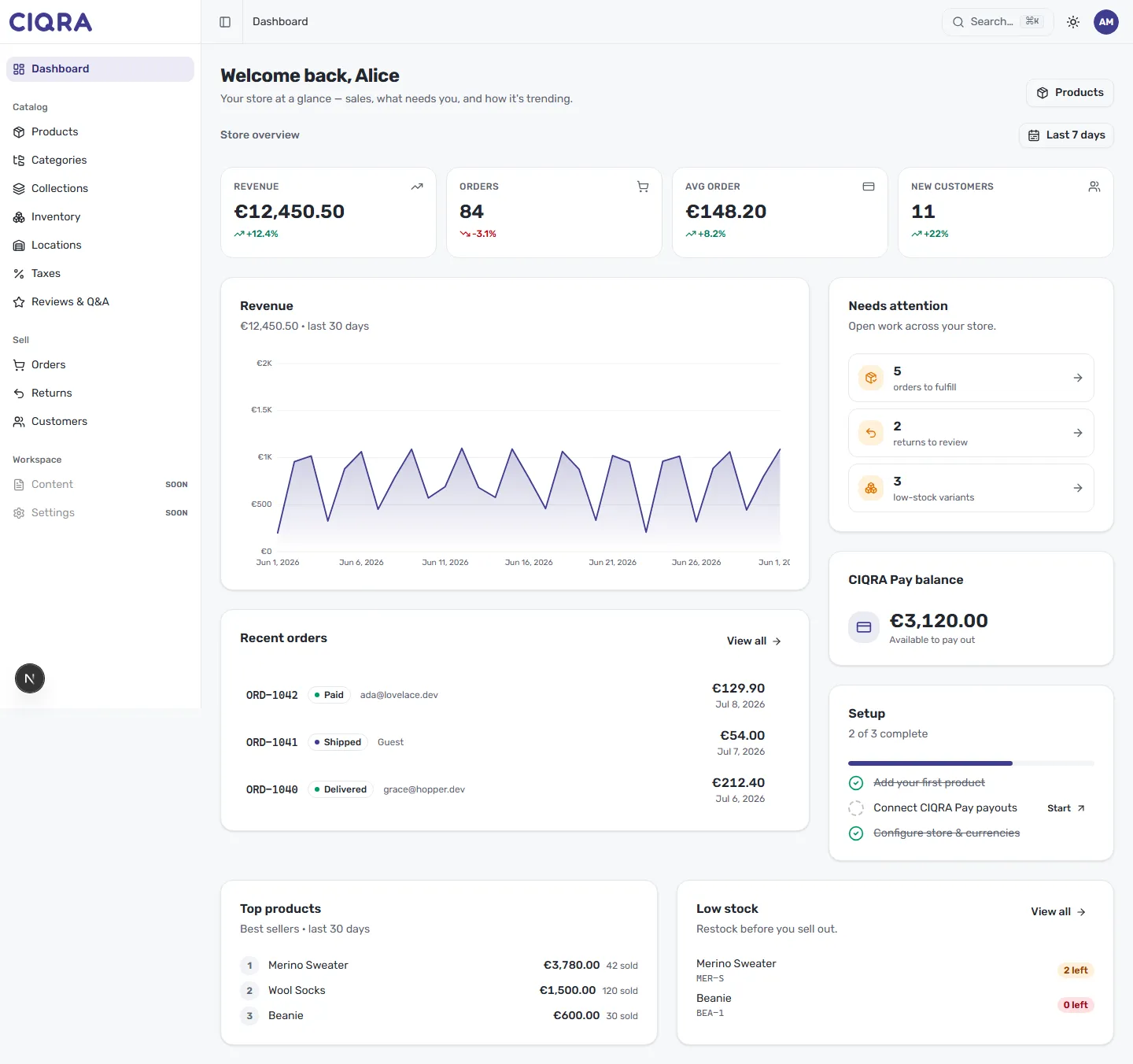
Use it as a daily glance: anything in the Low stock card is a candidate to reorder before it sells out.
Check exact levels in Inventory
Section titled “Check exact levels in Inventory”For the full picture, open Inventory from the Catalog group. It shows On hand, Reserved, and Available per variant and location — and a red 0 in Available flags an item with nothing left to sell.
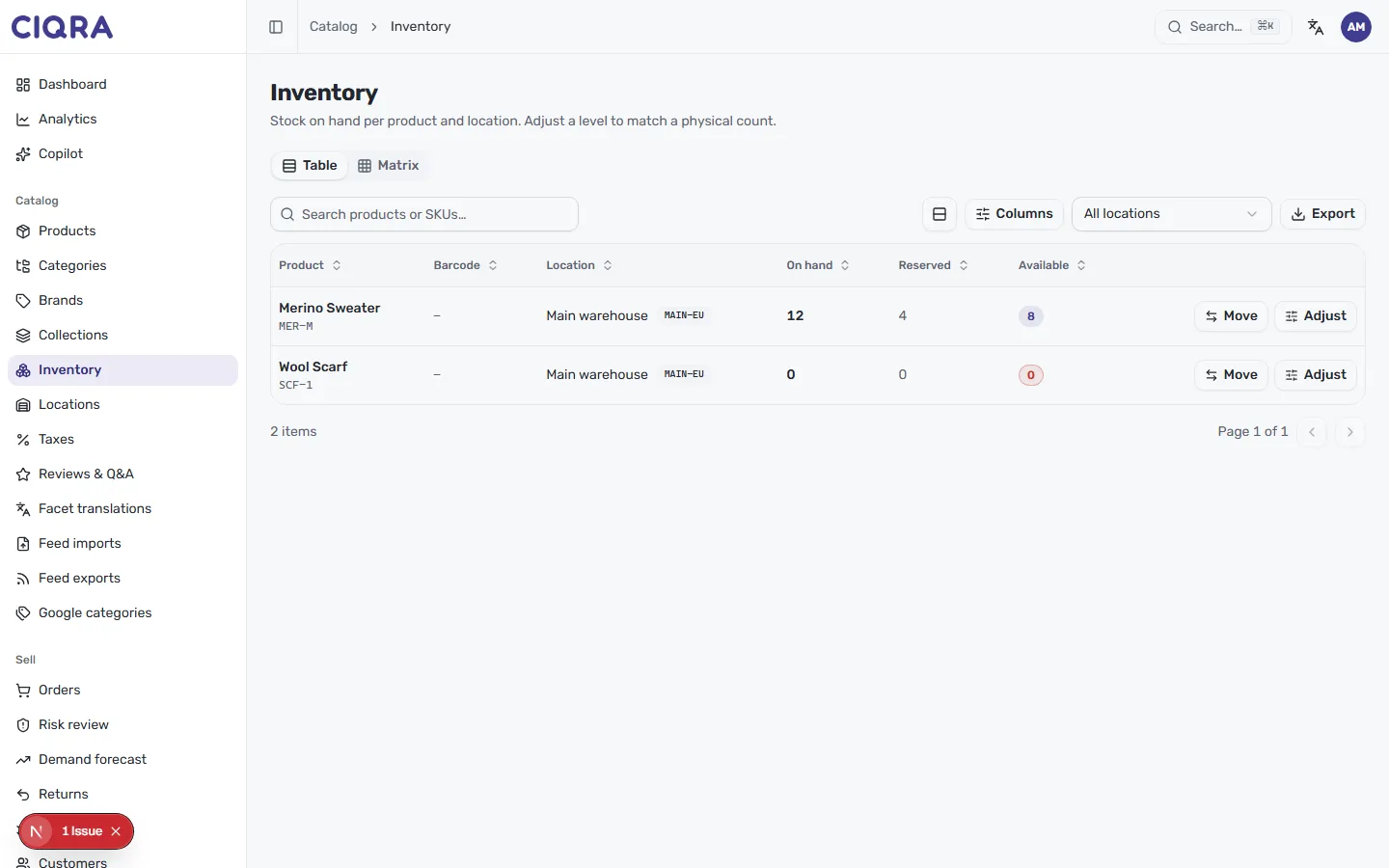
When new stock arrives, select Adjust and set On hand to your real count. See Track inventory for the full adjust flow, and Filter and find products to work through the Out of stock tab as a restocking list.
Back-in-stock notifications
Section titled “Back-in-stock notifications”When a variant is sold out, shoppers can ask to be emailed when it returns. On the storefront, a sold-out item offers a notify-me sign-up: the shopper leaves their email, and CIQRA records the request against that variant. When you restock the variant, everyone who signed up is emailed that it’s available again — each request is notified once, so nobody gets duplicate emails.