

Tag your posts
Where categories give your blog its main structure, tags are the lighter,
cross-cutting labels that connect related posts — a theme like materials or
sustainability that might run across several categories. They give readers
another thread to pull when they want more on a subject.
Open the Tags tab
Section titled “Open the Tags tab”Blog tags live alongside categories and authors. From the Content section of the sidebar, open Blog categories, then select the Tags tab at the top.
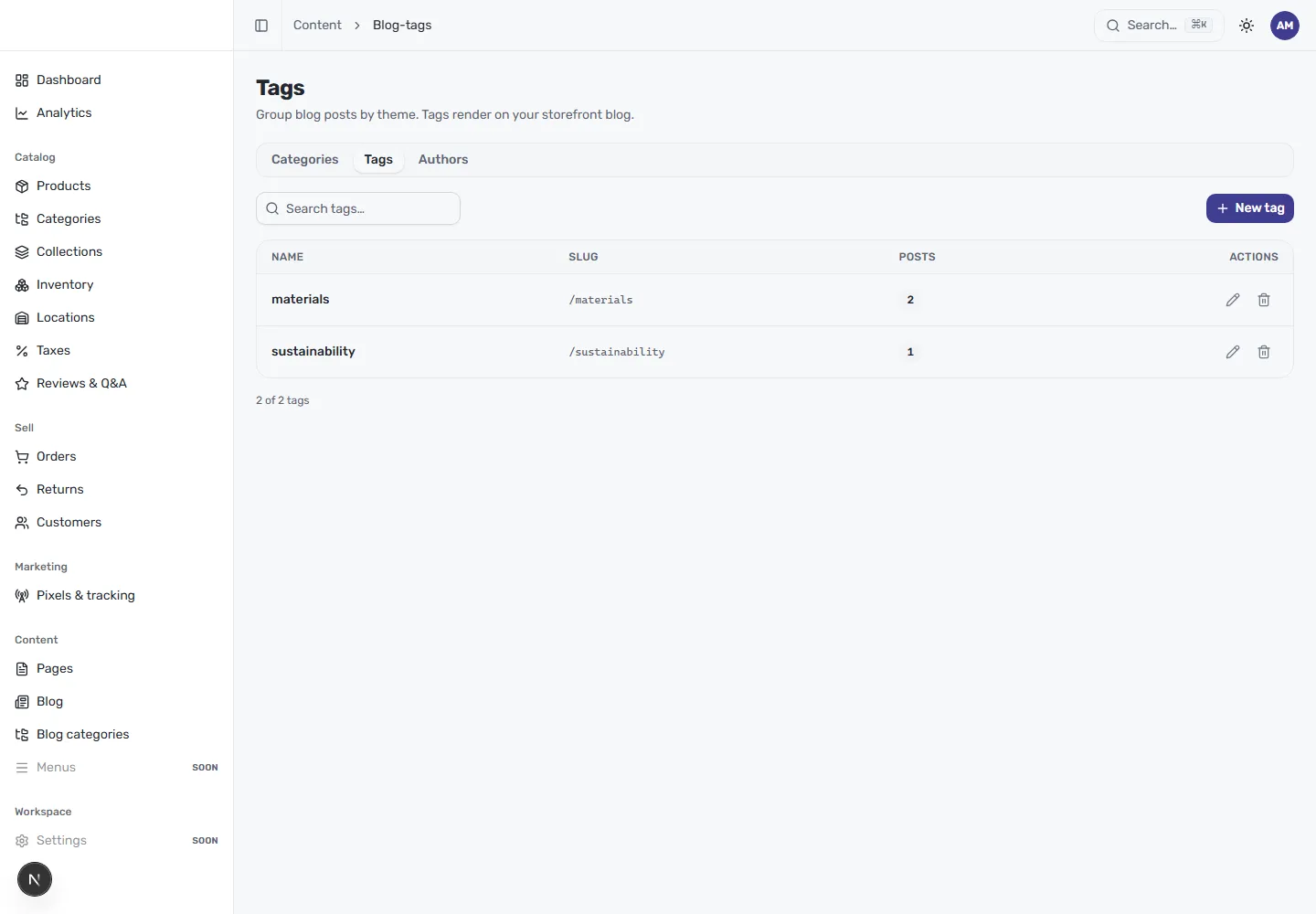
The table lists every tag with:
- Name — the theme, such as “materials” or “sustainability”.
- Slug — the URL segment for the tag (for example
/materials). - Posts — how many articles currently carry the tag.
- Actions — edit or delete the tag.
Create a tag
Section titled “Create a tag”Select New tag in the top right, give it a name, and confirm its slug. The tag then appears in the Tags panel of the post editor, where you can add it to any article.
Search and manage
Section titled “Search and manage”Use Search tags to find a tag quickly. The edit and delete actions on each row let you rename a tag, adjust its slug, or clear out one that’s no longer pulling its weight.