

Order statuses explained
An order’s status is the quickest way to know where it stands — whether it’s been paid, whether it’s gone out the door, and whether any money has come back. This page is a reference for the statuses you’ll see, so the labels on your Orders list and order pages always make sense.
Where you’ll see statuses
Section titled “Where you’ll see statuses”Statuses appear as coloured labels in a few places:
- On the Orders list, in the Status column and as the filter tabs across the top.
- On an individual order, next to the order number in the header.
- On a customer’s profile, against each order in their history.
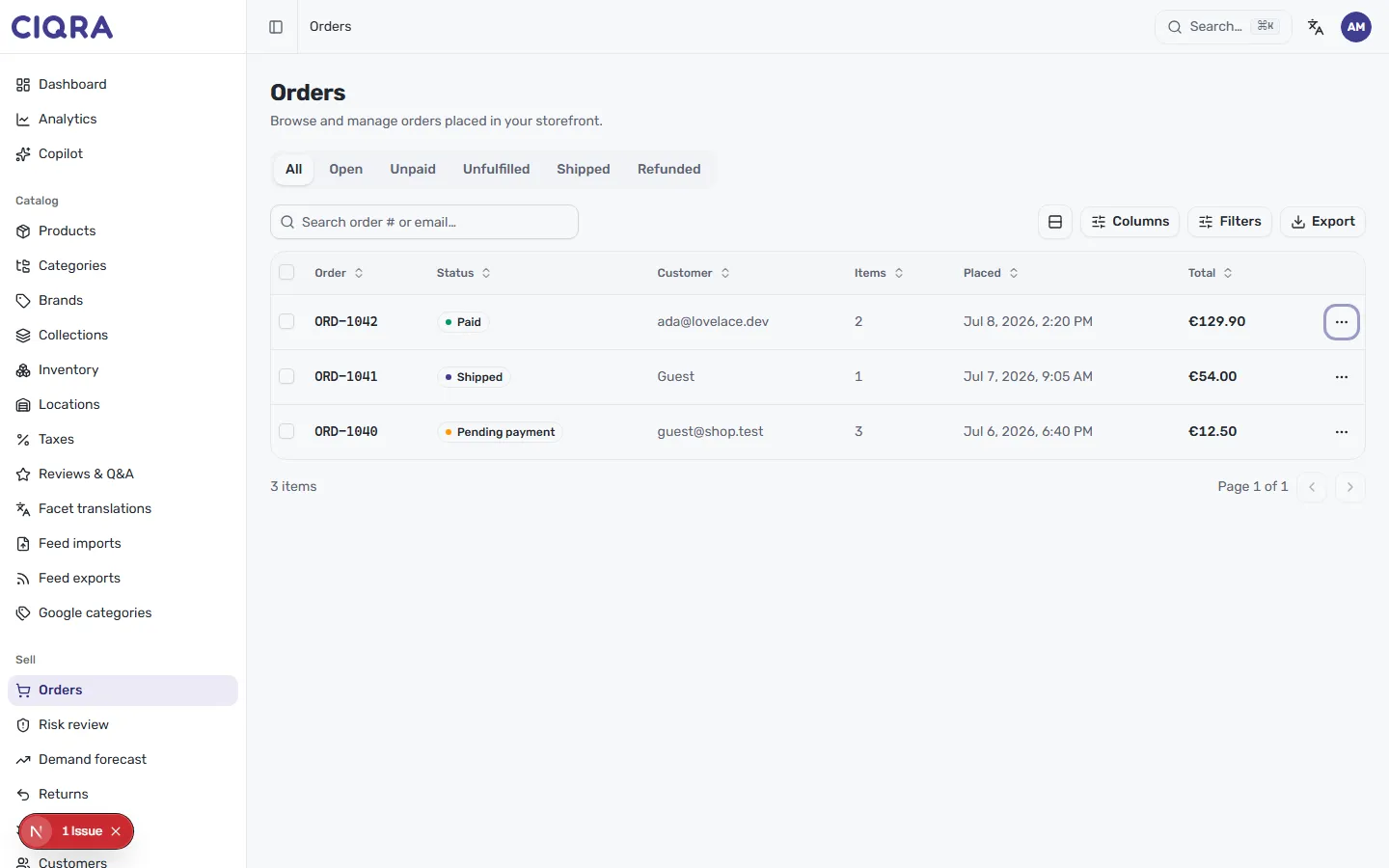
The status filters
Section titled “The status filters”The tabs above the Orders table group your workload by stage. From the list you can filter to:
- All — every order, regardless of stage.
- Open — orders that still need attention, rather than ones that are finished.
- Unpaid — orders where payment hasn’t been captured yet.
- Unfulfilled — paid orders that haven’t shipped, so you can see what’s waiting to go out.
- Shipped — orders that have been sent to the customer.
- Refunded — orders where money has been returned.
Statuses on an order
Section titled “Statuses on an order”Individual orders carry a status label that reflects exactly where they are. You’ll see labels such as:
- Pending payment — the order was placed but payment hasn’t been captured yet.
- Paid — payment has been captured and the order is ready to be worked.
- Shipped — the order has been dispatched to the customer.
- Delivered — the order has reached the customer.
- Completed — the order is finished, with nothing outstanding.
- Refunded — money has been returned to the customer, in full or in part.
How an order moves forward
Section titled “How an order moves forward”An order generally progresses from placed and awaiting payment, to Paid, to fulfilled and shipped, and finally to Delivered or Completed. You nudge it along from the order itself — for example, Mark as processing on a paid order — as covered in Process an order and Fulfil and track shipments.
The order’s Activity timeline records each change, including the automatic event when payment lands (for example, Pending payment → Paid), so you can always see how an order reached its current status.
Return statuses
Section titled “Return statuses”Returns have their own short lifecycle, separate from the order. In the Returns queue you’ll see requests move through Requested, Approved, Refunded and Rejected. A return ending in Refunded is what puts an order into a refunded state.