

Build navigation menus
Menus are the navigation your storefront shows to shoppers — the header links across the top of your store and the footer links at the bottom. The Menus builder lets you decide exactly what appears, in what order, and how items nest.
Open Menus
Section titled “Open Menus”In the sidebar, find the Content section and select Menus.
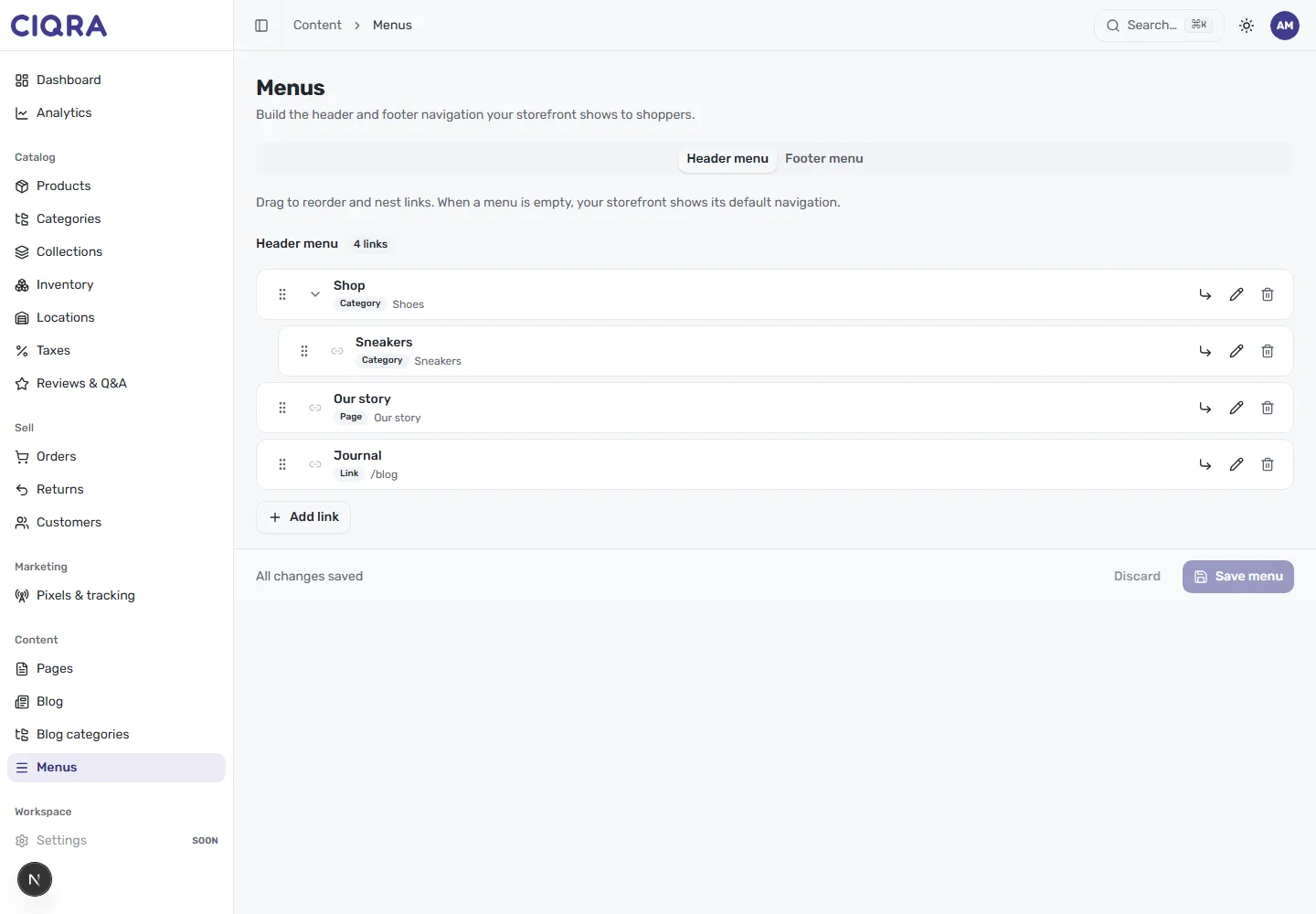
Two tabs sit at the top:
- Header menu — the primary navigation across the top of your store.
- Footer menu — the links in your storefront footer.
Each menu shows its links in order, with a count (for example 4 links). Every row carries a drag handle, the link’s label, a type badge showing what it points to, and controls to nest, edit or delete it.
Reorder and nest links
Section titled “Reorder and nest links”Drag to reorder links using the handle on the left of each row, and drag a link beneath another to nest it as a sub-item. In the header example, a Sneakers link sits nested under Shop, which shows a chevron to expand its children — that’s how you build dropdown-style navigation.
Add a link
Section titled “Add a link”Select Add link to open the link dialog.
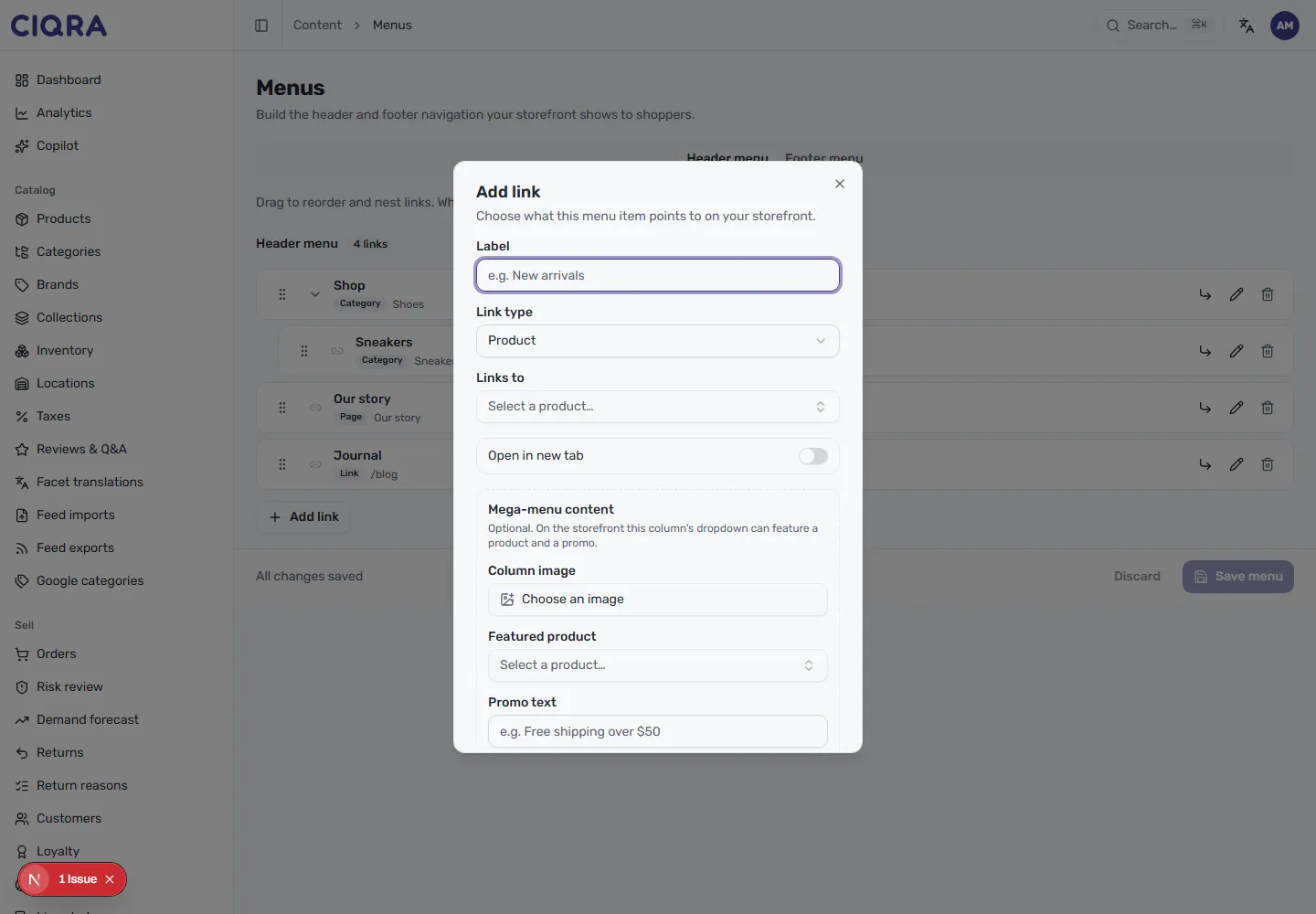
Fill in the link:
- Label — the text shoppers see in the menu, such as “New arrivals”.
- Link type — choose what kind of destination the link points to. The menu
list shows links pointing to a Product, a Category, a Page, and a
custom Link (a URL such as
/blog), so you can send a menu item to any of these. - Links to — once you’ve picked a type, select the specific destination — for a product link, for example, you choose it from the Select a product list.
- Open in new tab — turn this on for links that should open in a separate tab, such as an external URL.
Select Add link to add it to the menu.
Save your menu
Section titled “Save your menu”Changes aren’t live until you save them. The bar at the bottom shows whether your work is saved — it reads All changes saved when everything’s committed, and offers Discard and Save menu while you have unsaved edits. Select Save menu to publish your navigation to the storefront.