

Bulk-edit products
When you’re tidying a whole section of your catalog — publishing a new season, archiving last year’s line, or tagging a promotion — editing products one by one is slow. The Products list lets you act on many products at once.
Start a selection
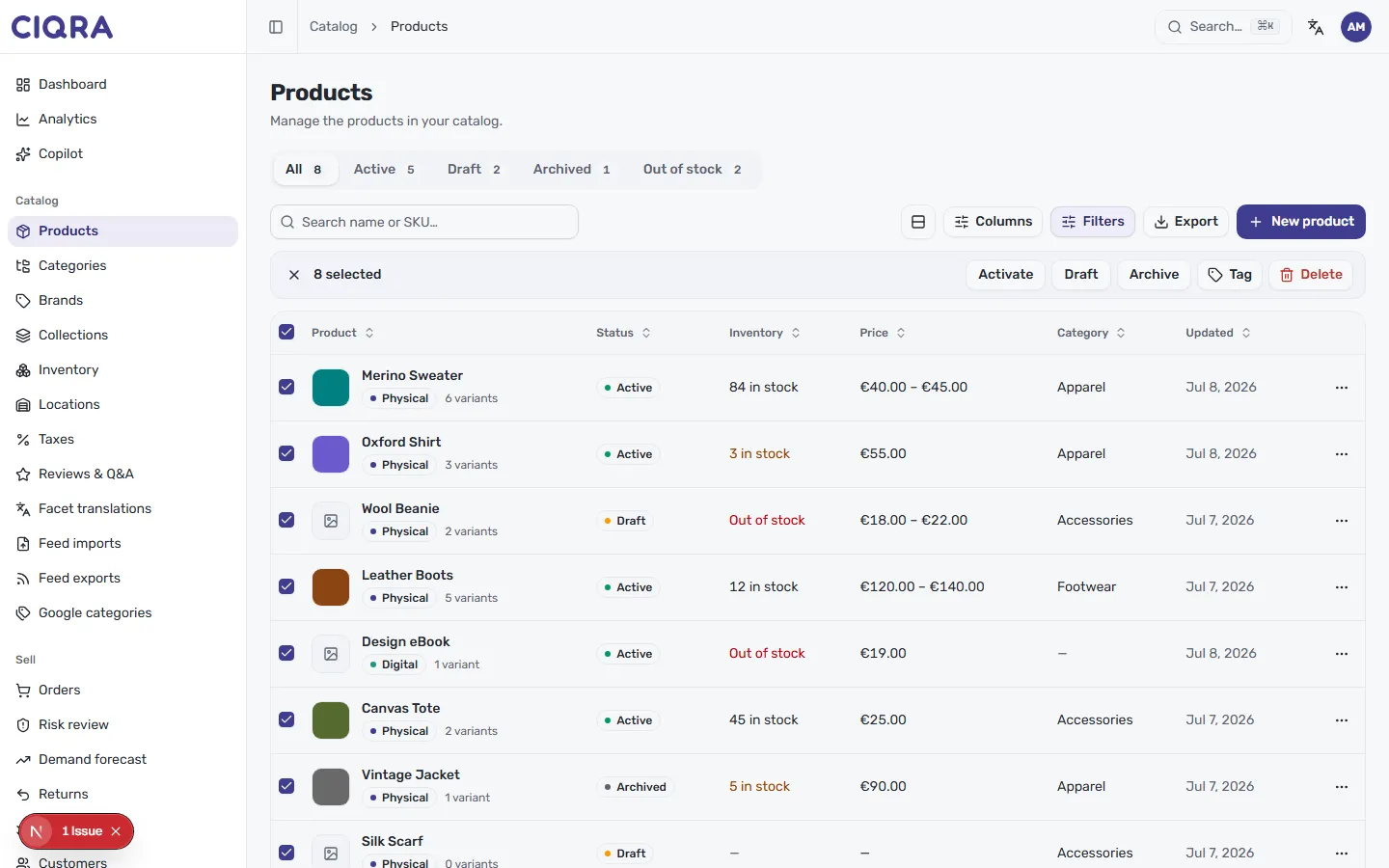
Section titled “Start a selection”Each row in the list has a checkbox on the left. Tick one to start a selection, or use the checkbox in the column header to select every product on the current page. As soon as anything is selected, an action bar appears above the table showing how many are selected.
Select everything that matches
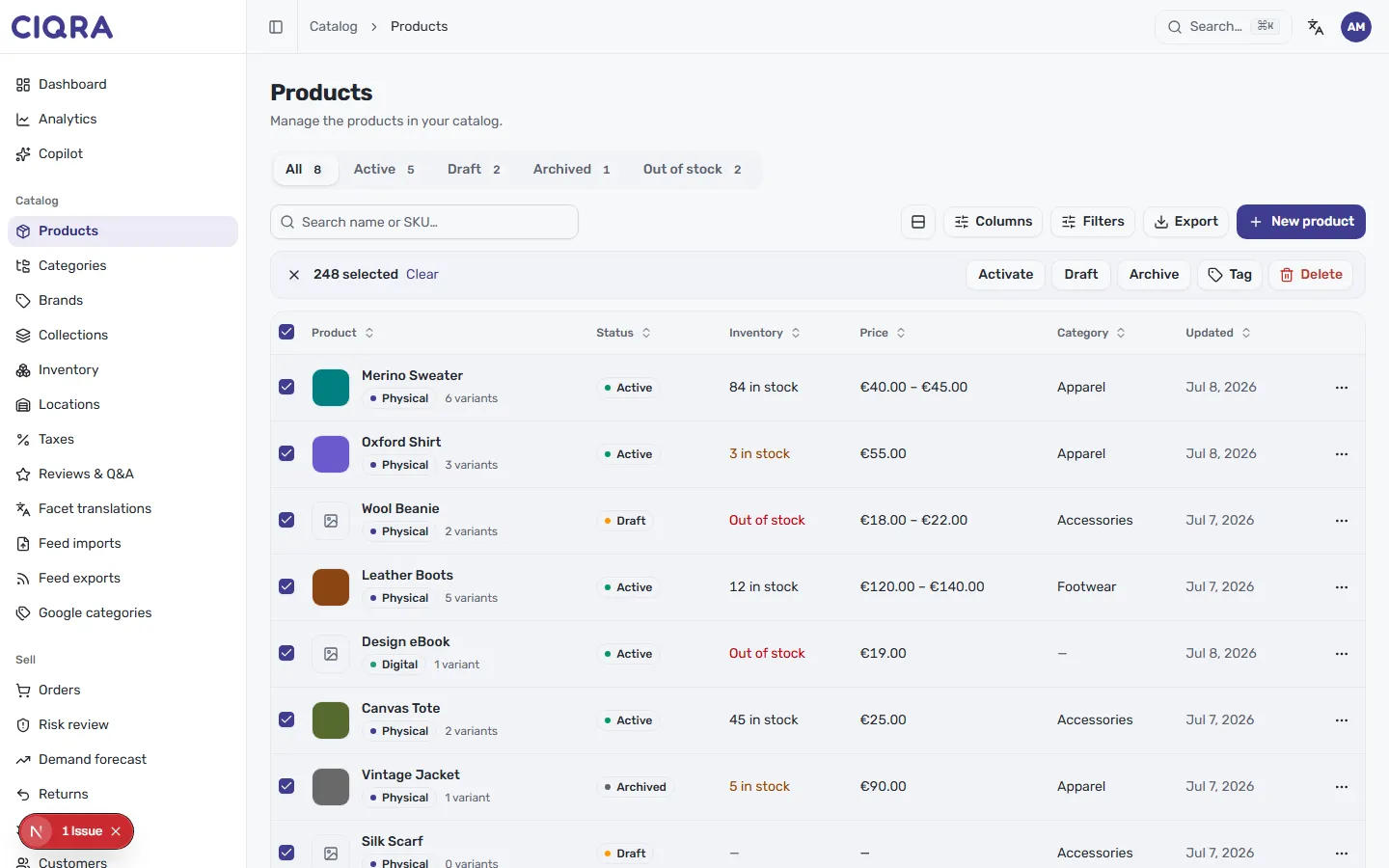
Section titled “Select everything that matches”Selecting the header checkbox picks the products on the page — but your catalog may have more than one page of results. When there are more matches than the page shows, CIQRA offers to extend the selection to every product that matches, and the action bar updates to reflect the larger count with a Clear link to start over.
Apply a bulk action
Section titled “Apply a bulk action”With products selected, pick an action from the bar:
- Activate — publish the selected products so they appear on your storefront.
- Draft — move them back to draft and off the storefront.
- Archive — archive them out of your active catalog without deleting them.
- Tag — apply a tag across the whole selection, handy for grouping a promotion or a supplier.
- Delete — remove the selected products.
Clear the selection at any time with the × on the left of the bar (or the Clear link when you’ve selected across pages).
When to use each action
Section titled “When to use each action”- Launching a range? Select the drafts and Activate them together.
- Ending a season? Select the range and Archive it — the products leave your active catalog but stay available to restore later.
- Running a sale? Tag the selection (for example
summer-sale) so you can filter to it later or build a smart collection around the tag.
Bulk status changes here do the same thing as toggling one product’s status — see Publish, schedule, and status for what each state means.